HBL and MIMS SLS Support
Find out who to contact for SLS and MIMS support during home-based learning, including helpline numbers and email addresses for school and non-school hours.
SLS and MIMS Support for Home-based Learning
Parent/ Guardian can request to reset/unlock MIMS/SLS account via the following link:
go.gov.sg/pcs-acc-unlock (opens in new tab)
Request will be process and revert back within a hour during HBL period.
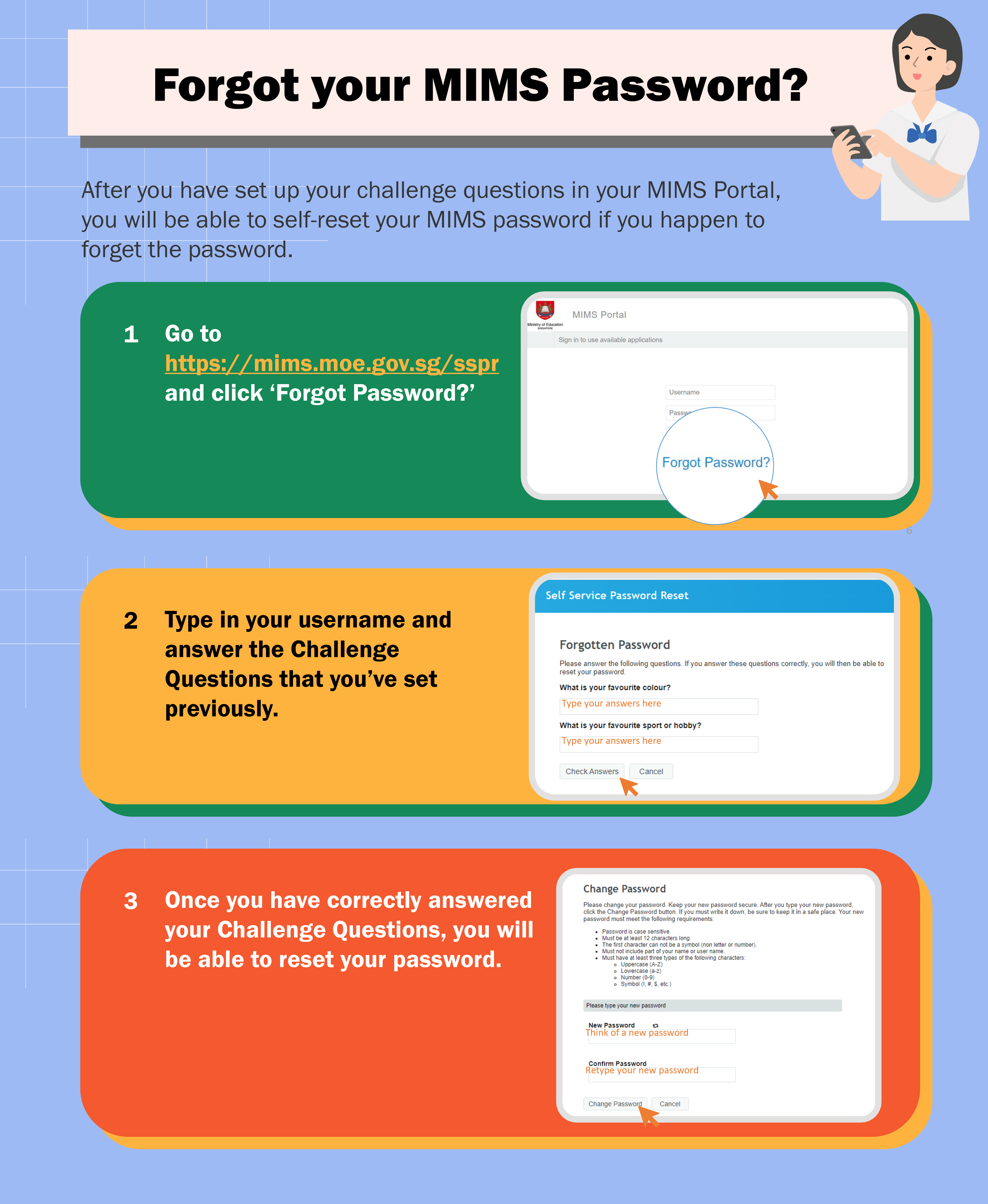
*For MIMS Account, student/parent should try to reset their MIMS password by themselve if the security questions have been setup through the portal (opens in new tab). You can follow the steps in the guide below under Student MIMS_Self Reset Password Portal.
Student Learning Space (SLS)
During school operating hours, students should contact the School-based Helpline for SLS queries, including all SLS access matters, such as password resets and account unlocking, as well as questions about lesson assignments.
School-based Helpline: 6785 6420
Email: contact@poiching.edu.sg (opens in new tab)
Mondays - Fridays: 8:00 am - 4:00 pm
For other matters, students can email the SLS Helpdesk at helpdesk@sls.ufinity.com (opens in new tab). When emailing the SLS Helpdesk, they should include their full name, name of school and form class.
Non-School Operating Hours
Students can contact the SLS Helpdesk only outside school operating hours.
SLS Helpdesk: 6702 6513
Mondays - Fridays: 4:00 pm - 9:00 pm
Saturdays: 9:00 am - 9:00 pm
*Closed on Sundays & Public Holidays
Alternatively, the following are whom you can contact for support:
(a) Form Teacher and Subject Teacher via Classdojo
(b) SLS Helpdesk : 6702 6513 ; helpdesk@sls.ufinity.com (opens in new tab)
MIMS Portal
Unlock MIMS account / Reset MIMS Password (through Support Staff)
If a temporary password has been received from the FT or the support staff, please reset it as soon as possible through the MIMS portal (opens in new tab). Follow the steps in the guide below:
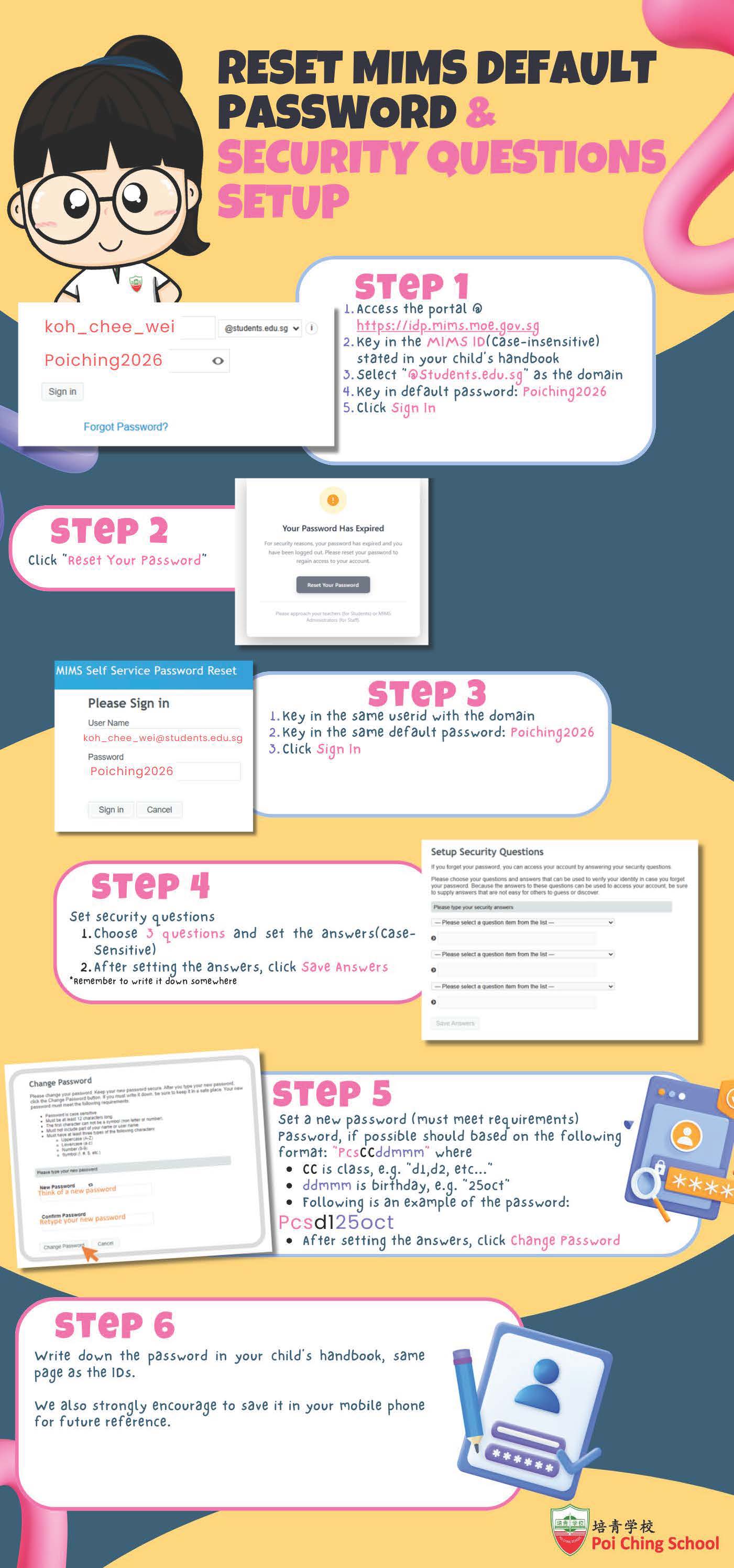
Student MIMS_Self Reset Password Portal
Student can reset their MIMS password by themselve if the security questions have been setup through the portal (opens in new tab).
Follow the steps in the guide below: